In the fast-paced digital world, communication in one's native language is more than just a convenience—it's a way to stay connected to culture, heritage, and identity. For the millions of Tamil speakers around the globe, typing on mobile devices has often been a secondary experience, limited by cumbersome layouts or lack of intuitive tools. However, the release of Tamil Keyboard & AI Notes for iPhone and iPad is set to change that narrative completely.
This isn't just another keyboard app; it is a comprehensive productivity suite designed specifically for the Tamil language. Developed by iThinkdiff, a name synonymous with high-quality language tools on the App Store, this app integrates cutting-edge Artificial Intelligence with a user-friendly interface to provide a seamless writing experience. Whether you are a student taking notes in Tamil, a professional drafting emails, or a creative writer exploring new ideas, this app offers the tools you need to express yourself clearly and efficiently.
A Visual Overview
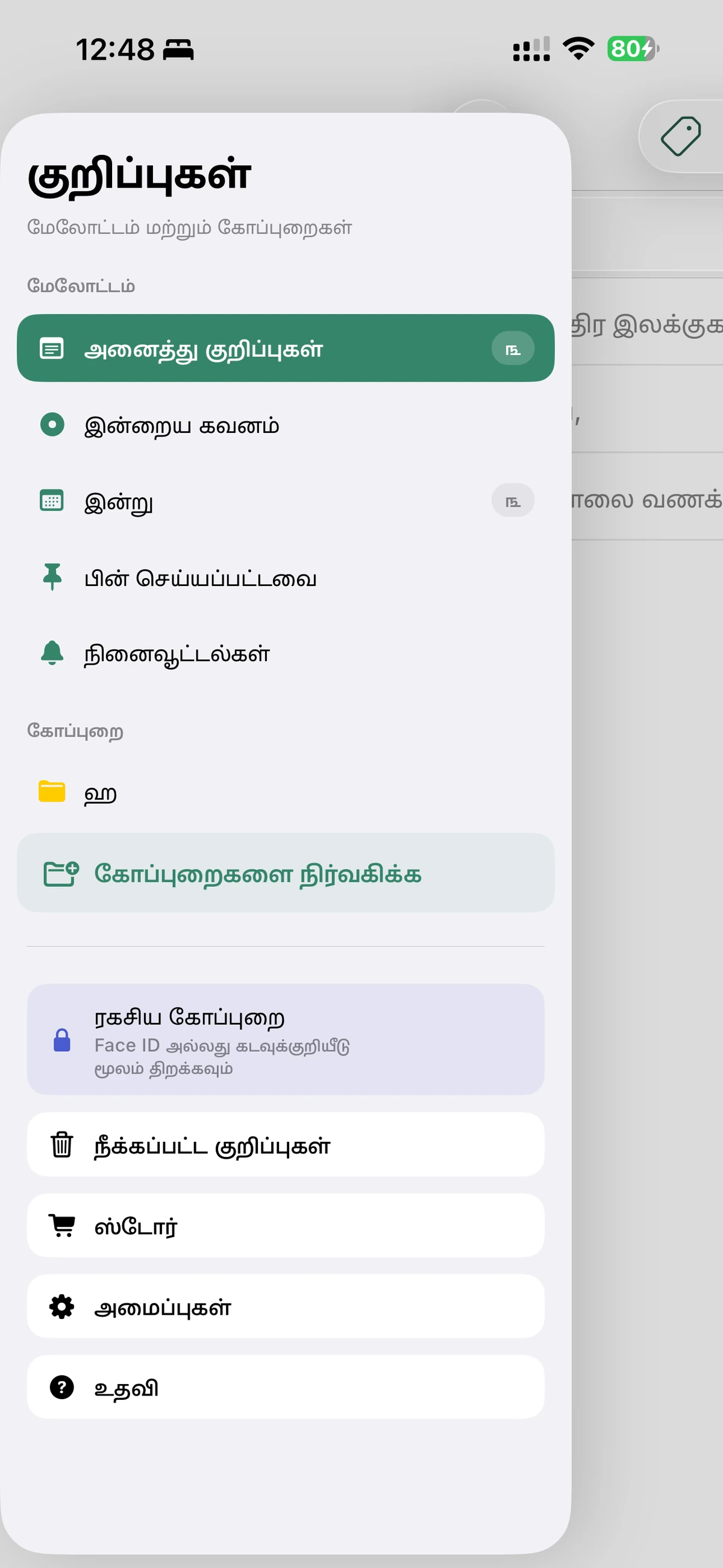
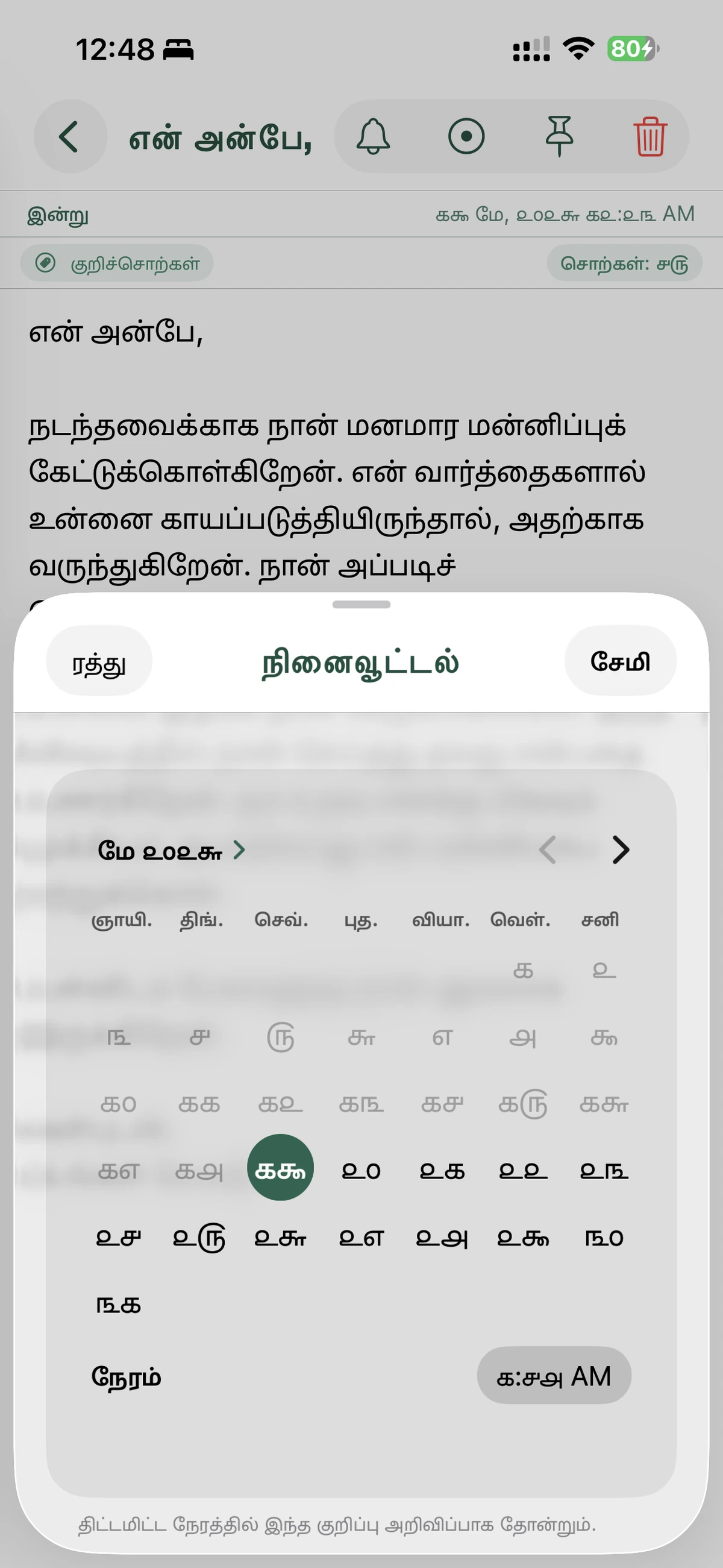
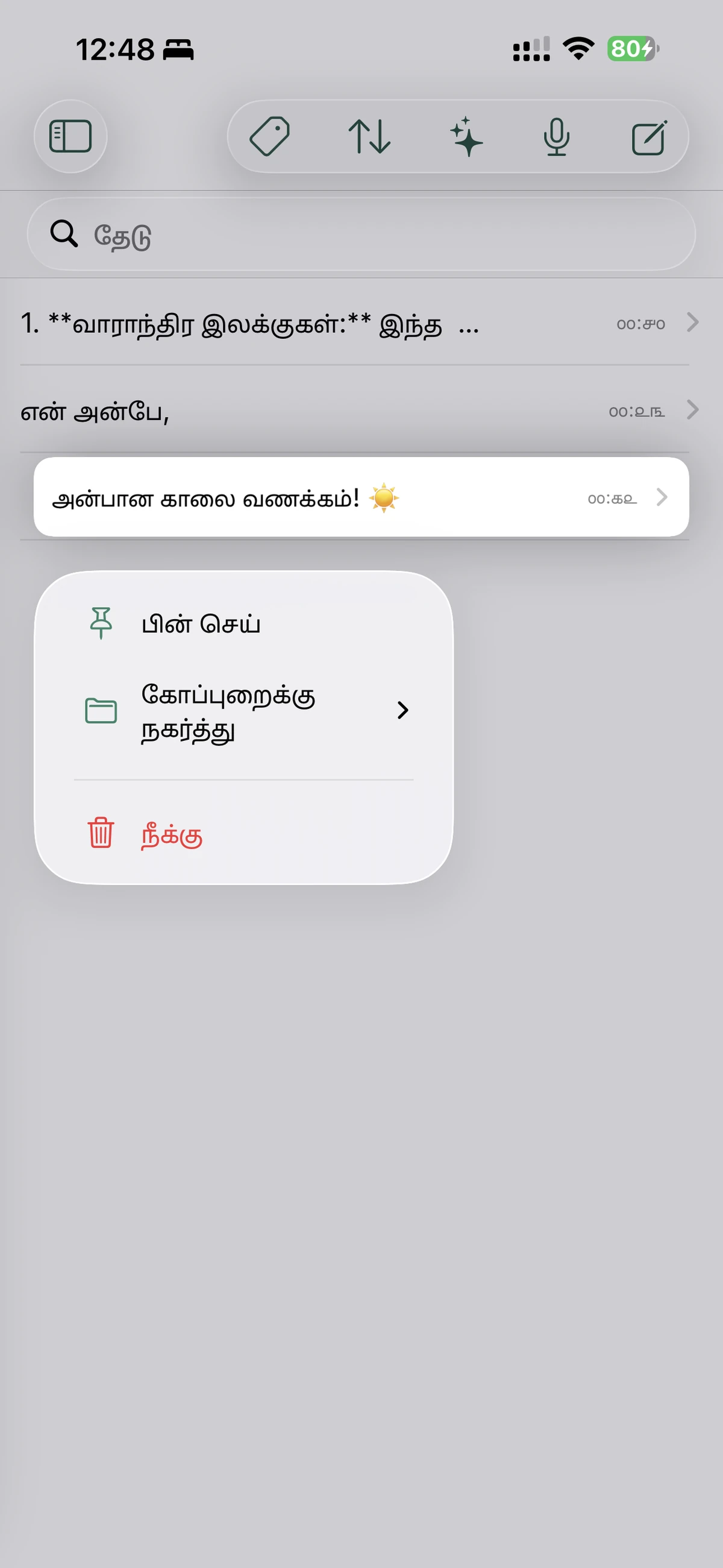
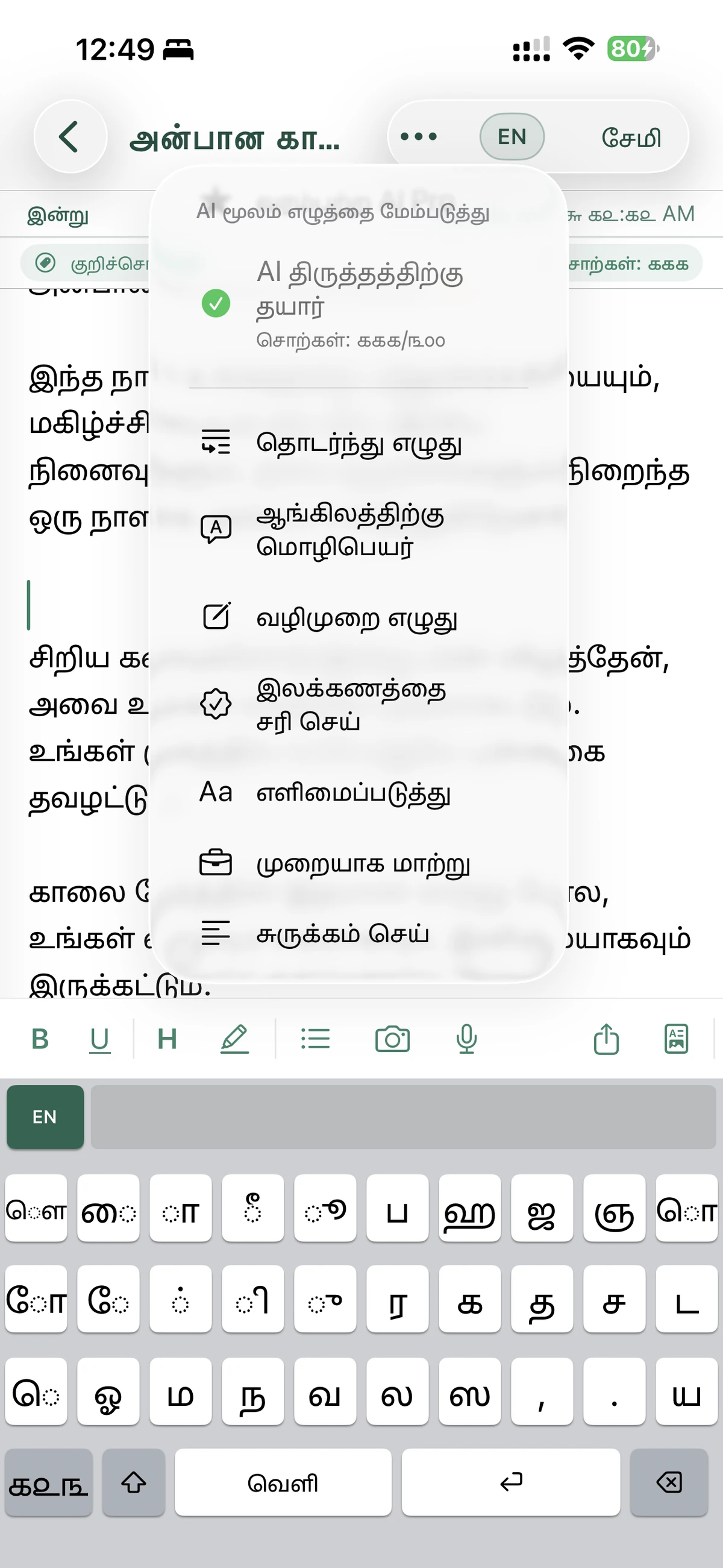
Before we dive into the deep technicalities and features, let's take a look at how the app appears on your device. The interface is clean, modern, and optimized for both light and dark modes, ensuring that your eyes don't get tired during long writing sessions.
The Core Features: Why This App Stands Out
1. System-Wide Phonetic Tamil Keyboard
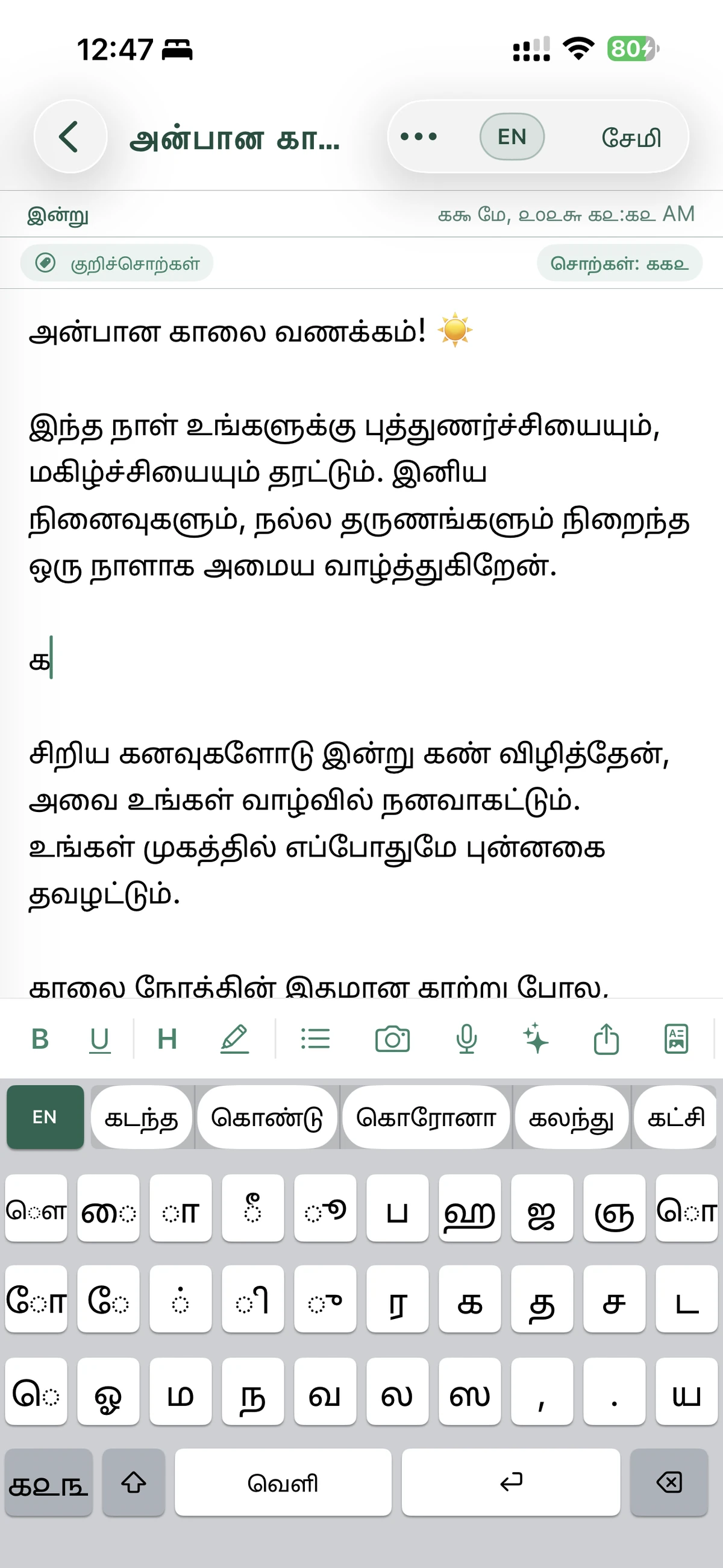
The most immediate benefit of the app is its system-wide keyboard. Unlike apps that require you to copy and paste text from within their interface, Tamil Keyboard & AI Notes allows you to type Tamil in any app—WhatsApp, Facebook, Twitter, Messages, or Mail.
The keyboard uses a phonetic layout, often called "Tanglish." This means you can type Tamil words using English letters. For example, typing "vanakkam" will automatically convert to "வணக்கம்" in real-time. This approach is incredibly intuitive for the modern generation of users who are comfortable with the QWERTY layout but want to communicate in their mother tongue.
Key Keyboard Benefits:
- Predictive Text: The app learns your typing patterns and suggests words to speed up your writing.
- Autocorrect: Never worry about spelling mistakes again; the smart engine handles common errors.
- Emoji Support: Integrated emojis allow you to add personality to your Tamil messages without switching keyboards.
- Privacy: Your keystrokes are safe. The keyboard operates with privacy at its core, ensuring your personal data stays on your device.
2. AI-Powered Writing Assistant
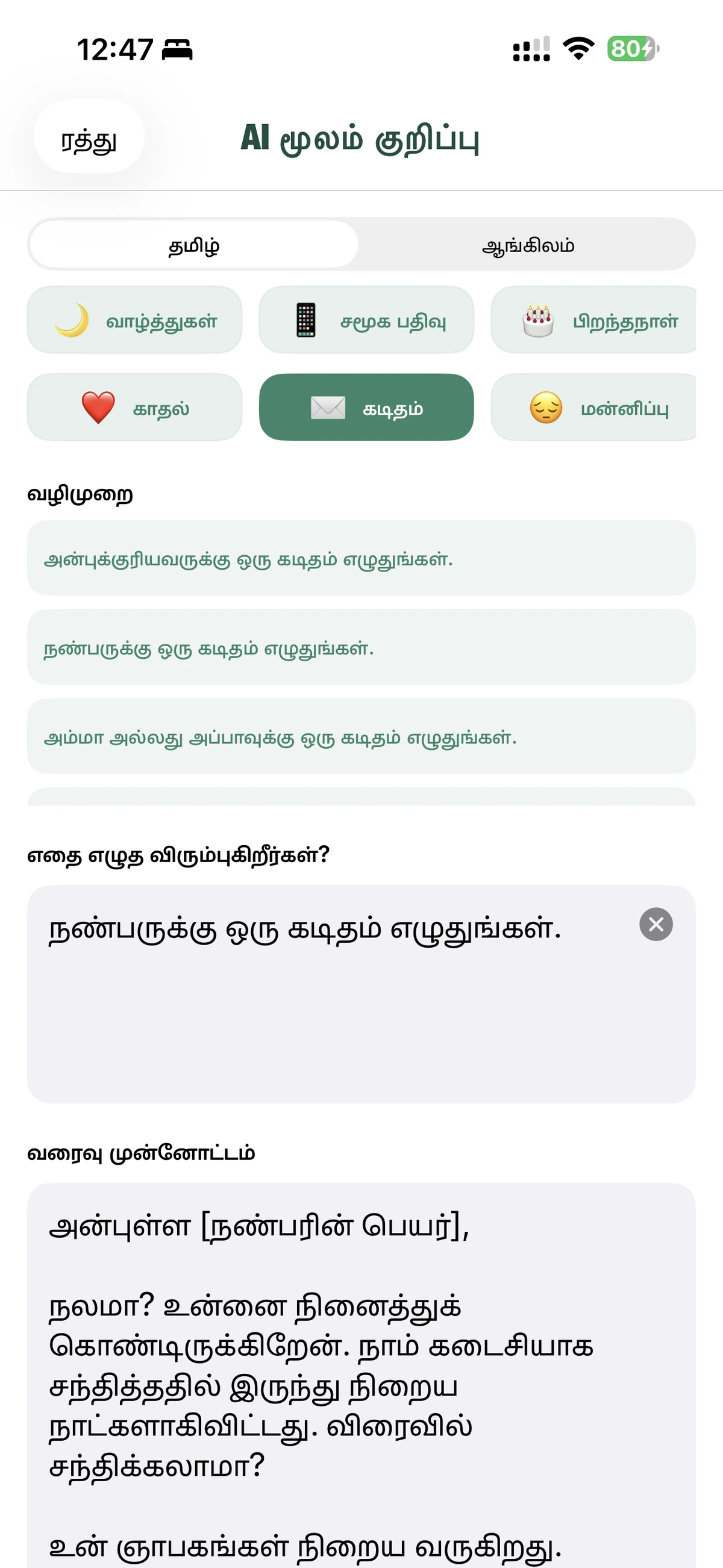
In 2026, Artificial Intelligence is no longer a luxury—it's a necessity for high-level productivity. This app features a built-in AI assistant that can help you refine your Tamil writing. If you've ever felt stuck while writing a formal letter or needed a quick summary of a long note, the AI is there to help.
What the AI can do for you:
- Summarization: Turn long articles or meeting notes into concise bullet points.
- Grammar Correction: Ensure your Tamil is perfect, whether it's for school, work, or social media.
- Tone Adjustment: Change the tone of your writing from casual to formal or vice versa with a single tap.
- Translation: Instantly translate your Tamil notes into English or other languages, making it a powerful tool for bilingual users.
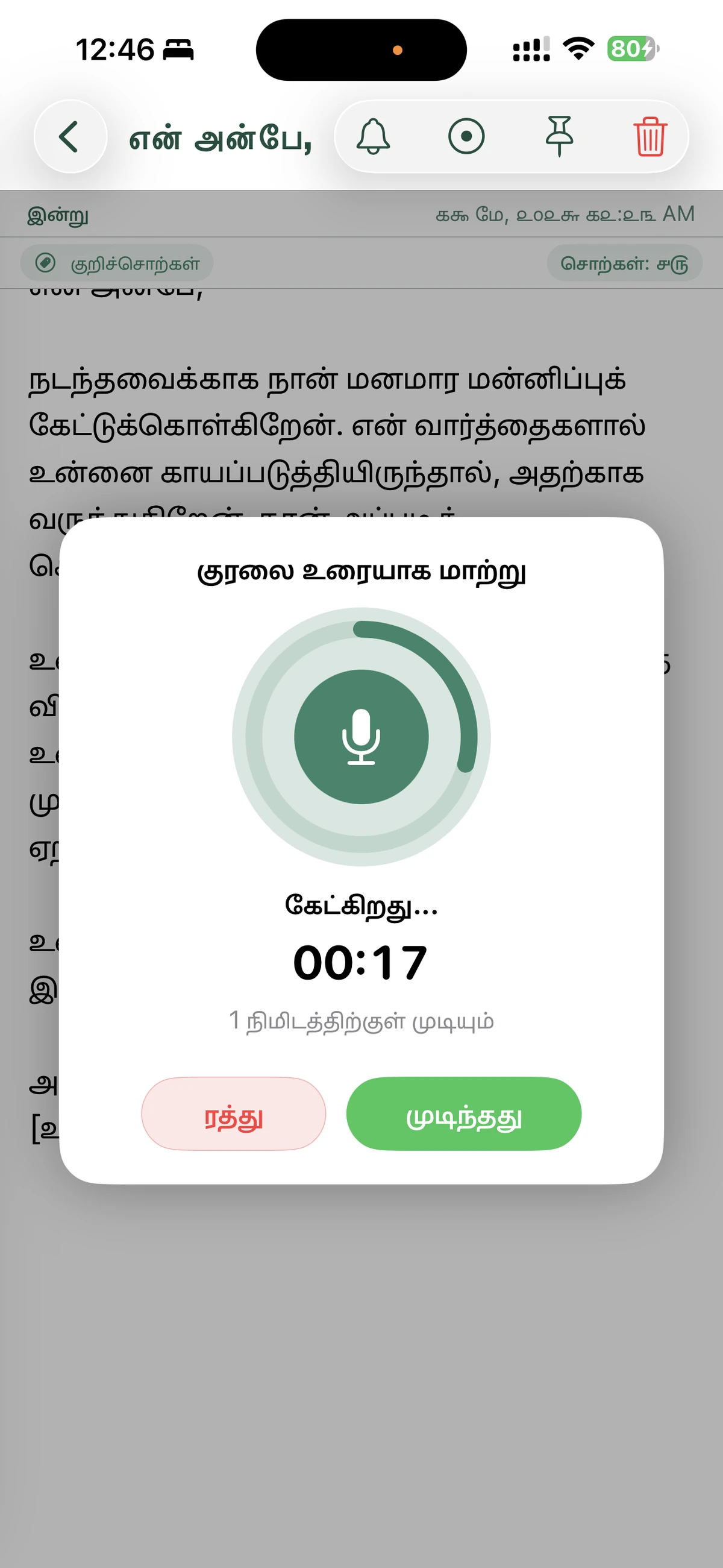
3. Voice-to-Text: Speak and Write
Sometimes, typing is too slow or inconvenient. Maybe you're on the go, or perhaps you just have a lot to say. The Voice-to-Text feature allows you to dictate your notes in Tamil. The app uses advanced speech recognition technology that understands various Tamil accents and dialects with remarkable accuracy.
This feature is a game-changer for journalists conducting interviews, writers capturing "on-the-spot" inspiration, or anyone who prefers the speed of speaking over typing.
4. OCR: Image-to-Text Scanning
Imagine you have a printed Tamil document, a page from a book, or even a handwritten note that you want to digitize. With the integrated OCR (Optical Character Recognition) tool, you can simply take a photo of the text, and the app will convert it into editable digital text.
This saves hours of manual typing and allows you to easily search, edit, and share information that was previously "locked" in physical format.
5. Advanced Note-Taking and Organization
Beyond the keyboard, the app is a powerhouse for organization. It's not just a place to store text; it's a workspace.
- Rich Text Formatting: Use bold, italics, underlines, and different font colors to make your notes easy to read.
- Folders and Tags: Organize your work by projects, categories, or urgency.
- Reminders: Set alerts for specific notes so you never miss a deadline.
- iCloud Sync: Your notes are synchronized across your iPhone, iPad, and Mac, so you always have the latest version of your work at your fingertips.
6. The "Secret Folder" for Ultimate Privacy
We all have notes that we want to keep away from prying eyes—passwords, personal journals, or sensitive work data. The Secret Folder feature allows you to lock specific notes with Face ID, Touch ID, or a passcode.
Importantly, these private notes are stored locally on your device and are not synced to the cloud. This ensures the highest level of security for your most confidential information.
Real-World Use Cases
For Students
The combination of OCR and AI makes this the ultimate study companion. Scan your textbooks, summarize the content using AI, and organize your study notes into folders. When it's time to write an essay, the phonetic keyboard helps you express complex ideas in Tamil with ease.
For Professionals
Drafting professional emails in Tamil can be daunting. Use the AI Writing Assistant to check your grammar and adjust your tone to be formal and respectful. The voice-to-text feature allows you to "type" reports while commuting, maximizing your productivity.
For Creative Writers and Bloggers
Capture ideas as they come using voice dictation. Use the rich text formatting to structure your blog posts or stories. The ability to export notes as PDFs or plain text makes it easy to move your work to other platforms.
For Everyday Users
Stay in touch with family and friends on social media and messaging apps. The Tanglish keyboard makes it fun and easy to chat in Tamil without struggling with a complicated layout.
Technical Excellence and Compatibility
The developers at iThinkdiff have optimized the app for the latest versions of iOS. It requires iOS 17.0 or later, ensuring it takes full advantage of the newest system features, including widgets for your Home Screen and Lock Screen.
The app is also a "Universal" purchase, meaning one purchase gives you access on:
- iPhone
- iPad
- Mac (M1 or later)
- Apple Vision Pro
This cross-device compatibility ensures that your productivity isn't limited by the hardware you're using at any given moment.
Conclusion: A New Era for Tamil Digital Communication
Tamil Keyboard & AI Notes is more than just a tool; it's an empowerment platform. It removes the barriers that have historically made digital Tamil writing difficult. By combining the speed of phonetic typing, the intelligence of AI, the convenience of voice input, and the security of a secret folder, it offers a complete solution for anyone who values the Tamil language.
If you are looking to elevate your writing, organize your thoughts, and communicate more effectively in Tamil, there is no better app on the market today.
Download Tamil Keyboard & AI Notes today and experience the future of Tamil productivity!
Available for iPhone, iPad, and Mac
Explore More by iThinkdiff
Mahmud Ahsan and the team at iThinkdiff are dedicated to building apps that solve real-world problems. From dictionaries to productivity tools, their apps have been downloaded millions of times worldwide.
← Back to Blog