Writing in Arabic on an iPhone or iPad has never been more powerful. Whether you are a native speaker, a student of the language, or a professional working across borders, AI Arabic Keyboard & Notes is designed to transform your mobile writing experience. This isn't just a keyboard; it's a comprehensive AI-powered productivity suite that helps you search, translate, and improve your Arabic vocabulary effortlessly.
The app has recently undergone a major transformation (Version 10.0), shifting from a simple utility to a sophisticated AI Writing Assistant. By integrating advanced machine learning, the app now offers tools that go far beyond simple character input, making it an essential companion for anyone serious about Arabic communication.
A Modern Approach to Arabic Productivity
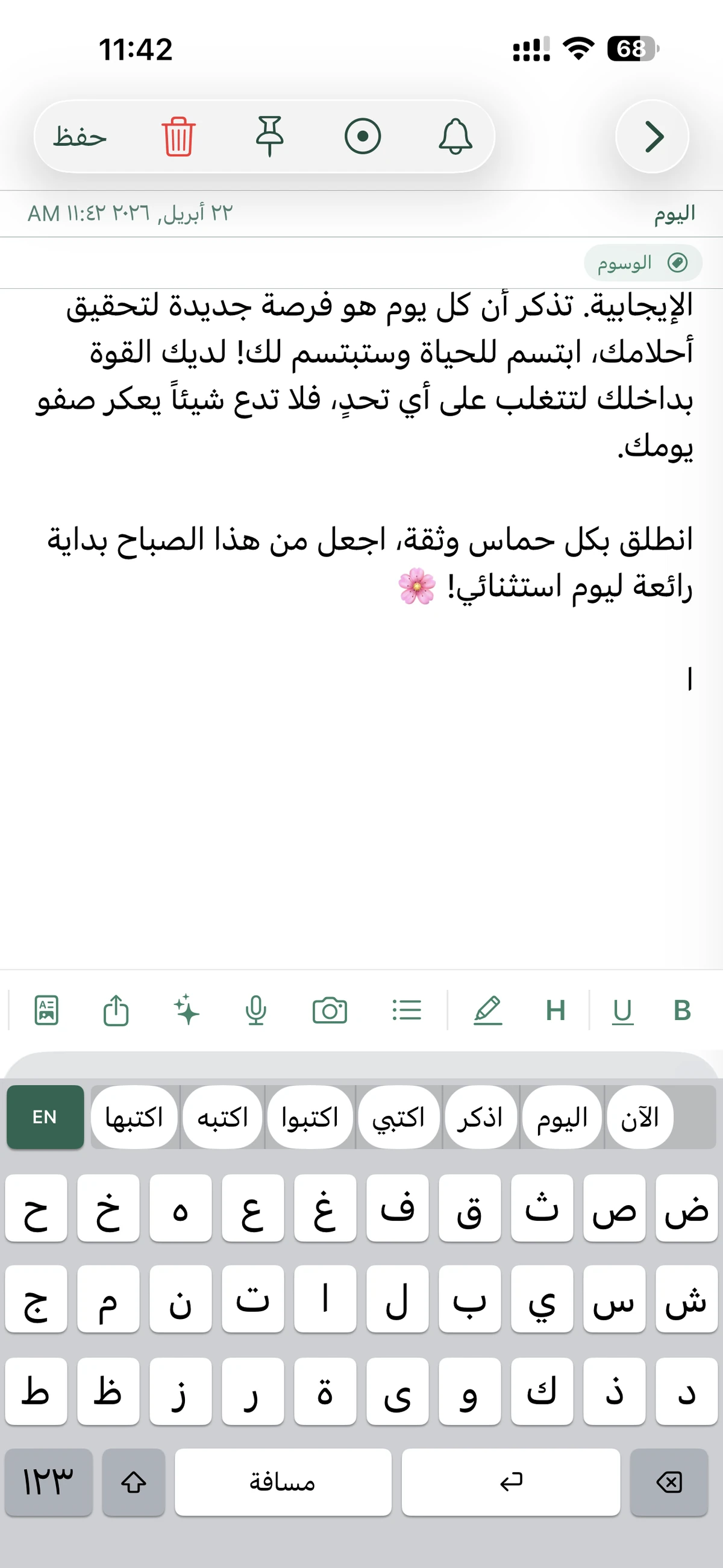
AI Arabic Keyboard & Notes solves the most common frustrations with mobile Arabic typing. If you struggle with the standard Arabic layout or need to quickly draft professional emails and notes, this app provides a streamlined workflow:
- Phonetic Typing: Type Arabic using English letters (e.g., "Marhaba" -> "مرحبا").
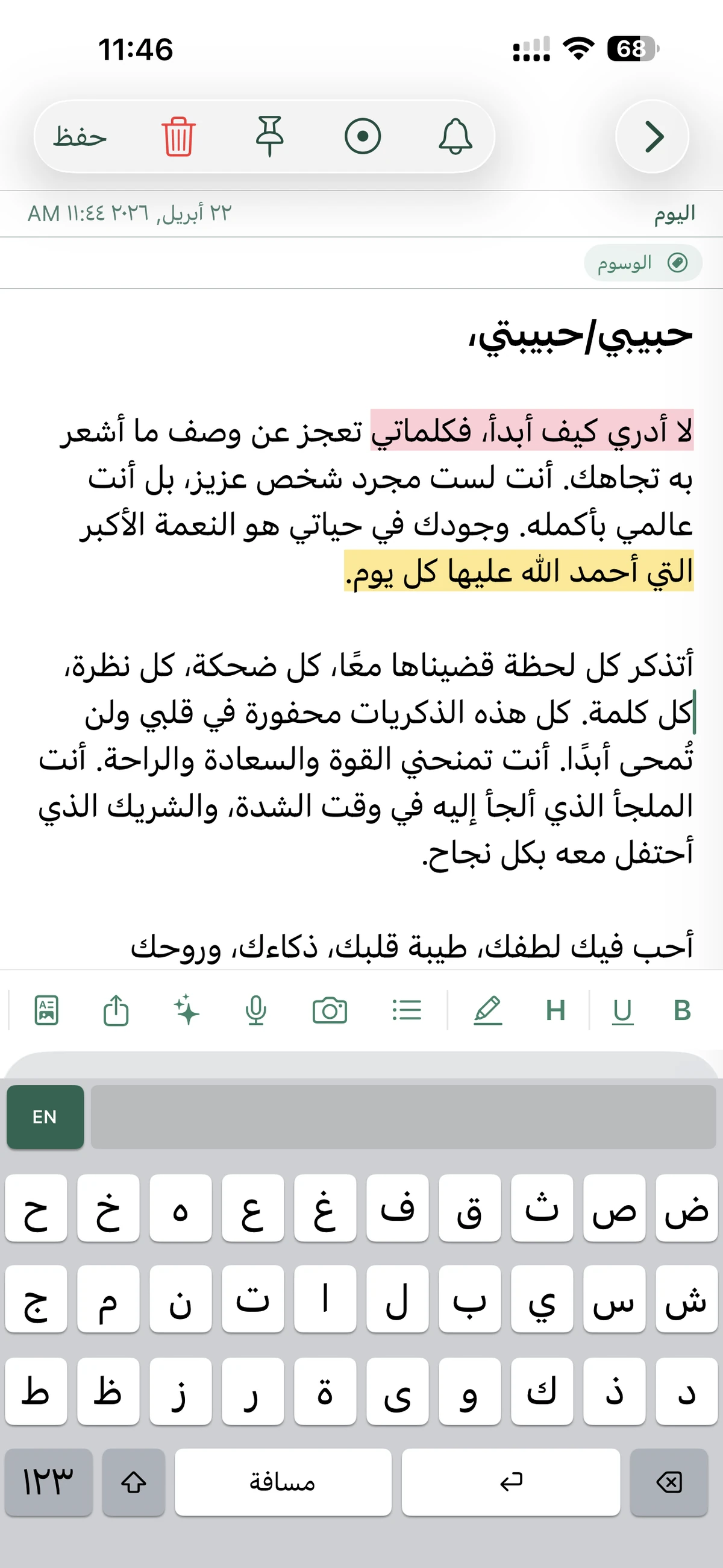
- AI writing Support: Summarize, rewrite, and check grammar with AI.
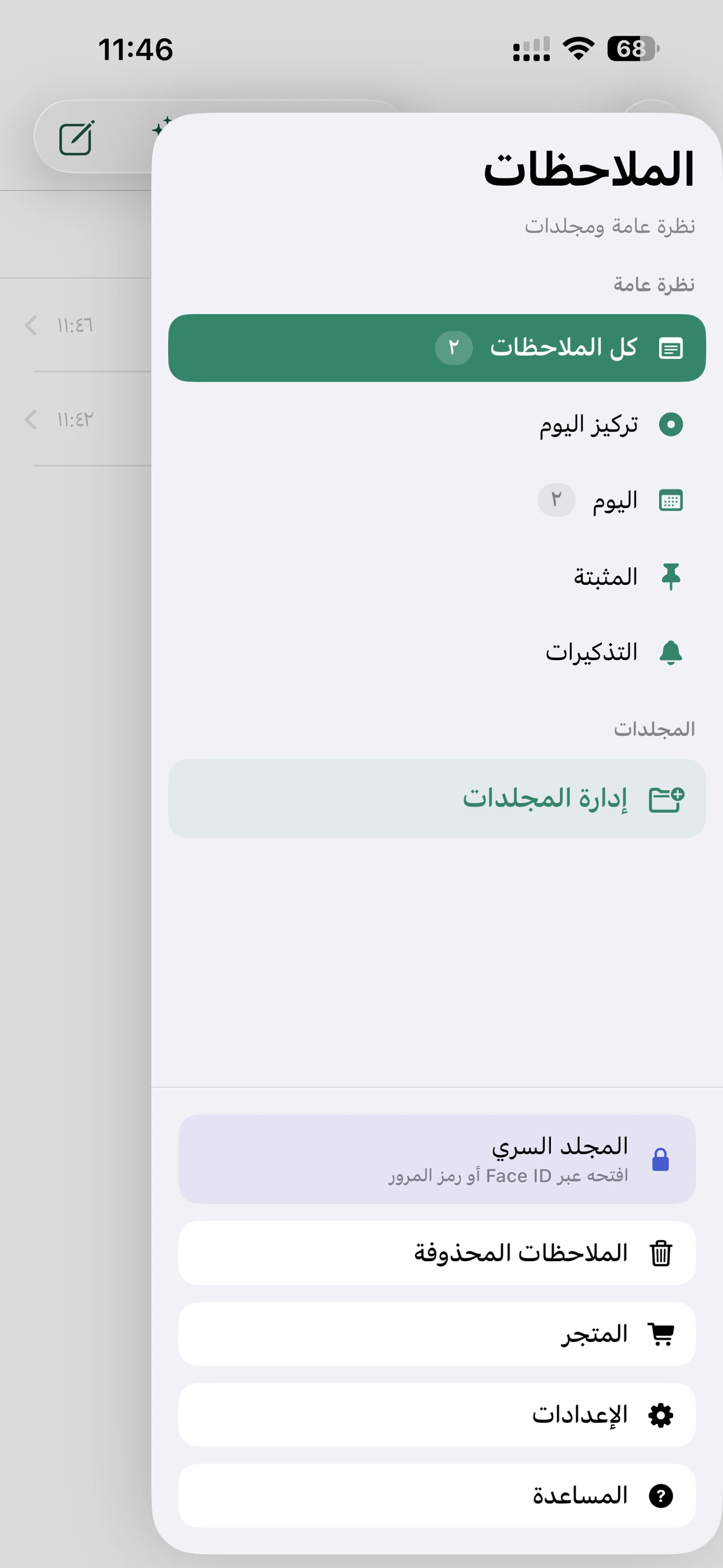
- Smart Organization: Tag, pin, and folder your notes for instant retrieval.
- Privacy First: A dedicated "Secret Folder" for sensitive information.
Visual Tour of Features
Key Features in Detail
1. Smart Phonetic Arabic Keyboard
The system-wide keyboard allows you to type in any app (WhatsApp, Facebook, Mail, etc.) using phonetic input. This is a game-changer for those who find the standard Arabic keyboard slow. It effectively translates your Latin character keystrokes into beautiful Arabic script in real-time.
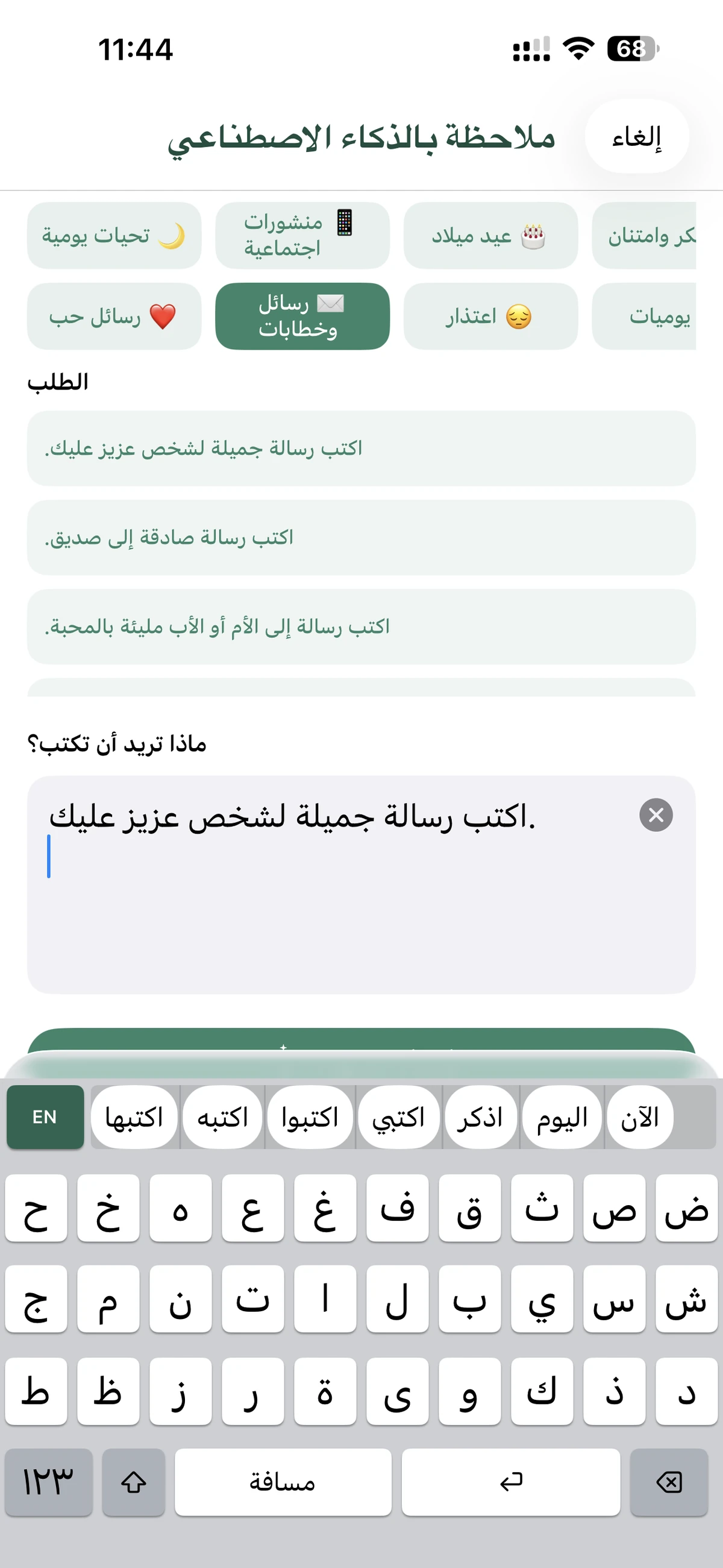
2. AI Writing Assistant: Your Personal Arabic Tutor
Improving your Arabic vocabulary and grammar is now automated. The AI Writing Assistant can:
- Summarize: Turn long notes into concise bullet points.
- Grammar Check: Ensure your professional correspondence is error-free.
- Start with AI: Stuck on a draft? Give a prompt like "Write a thank you note in Arabic," and watch the AI generate a high-quality draft instantly.
3. OCR Scanner: Scan and Translate Text
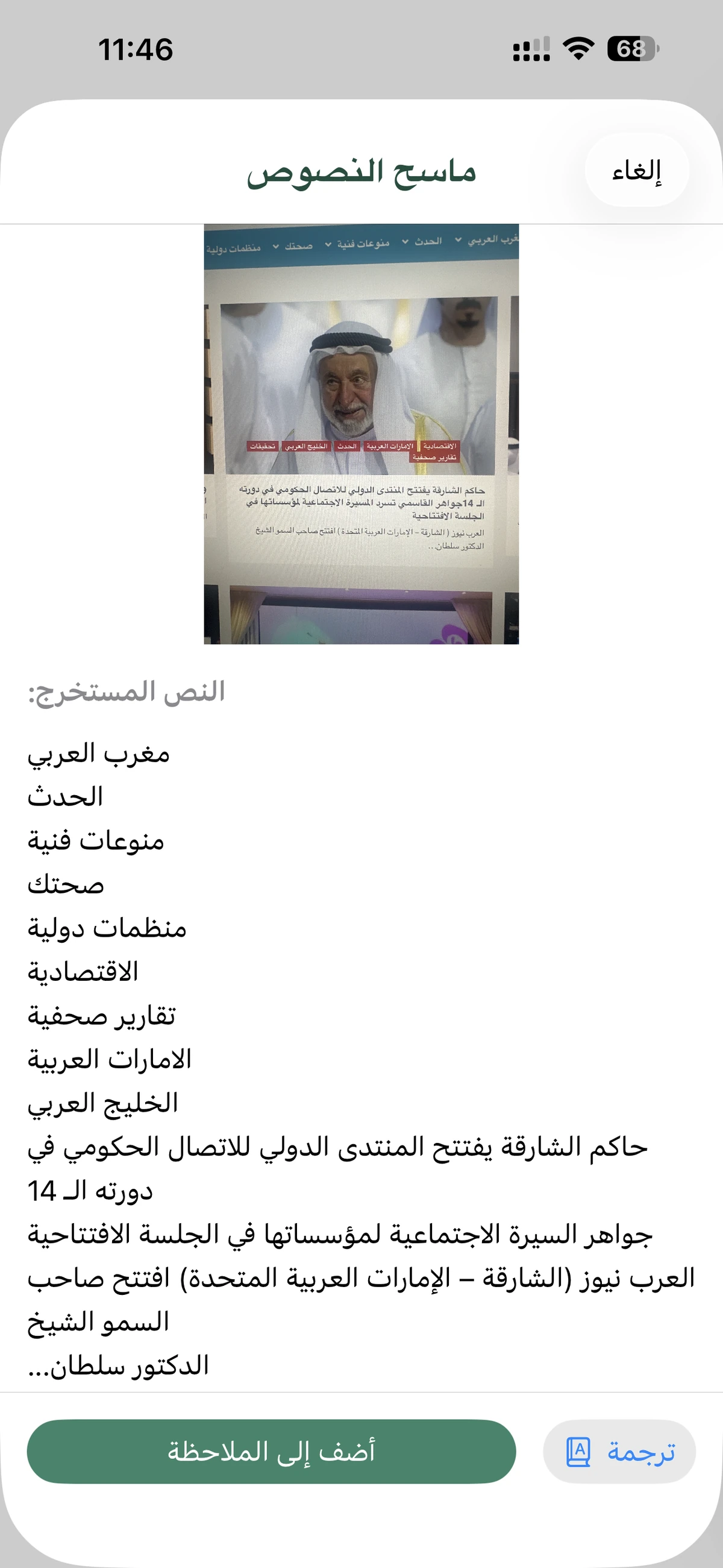
Found a printed Arabic document or a sign? Use the built-in OCR (Optical Character Recognition) scanner to extract text from images. Once scanned, you can immediately edit, translate, or share the text. This feature is perfect for students looking to digitize their study materials.
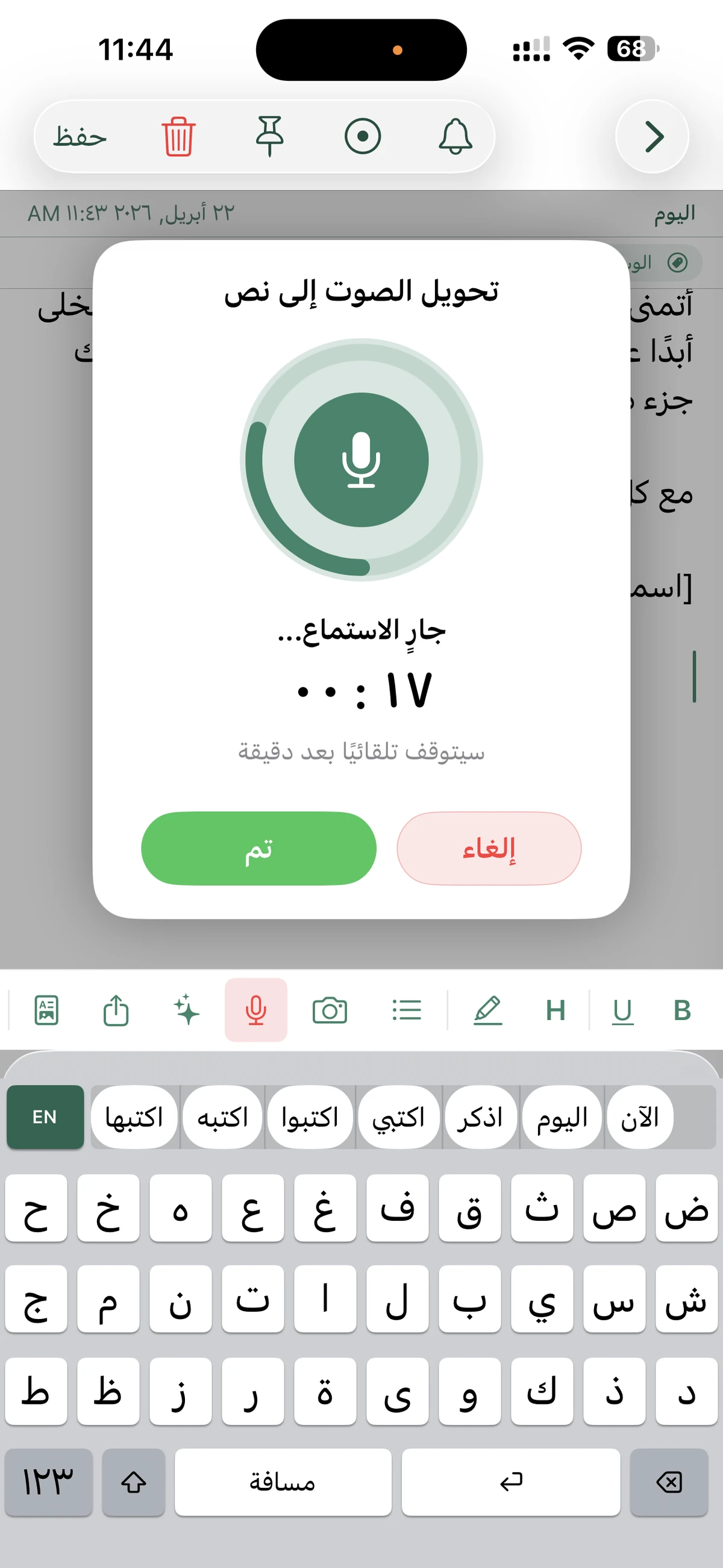
4. Voice-to-Text Dictation
Capture your thoughts as fast as you can speak them. The high-accuracy voice input handles Arabic dialects and Modern Standard Arabic with ease, allowing for hands-free note-taking while on the move.
5. Secure "Secret Folder"
Privacy is paramount. The Secret Folder allows you to store sensitive notes with local-only storage. This means your private data stays on your device and is not synced to the cloud, providing an extra layer of security protected by a passcode or biometric lock.
Boost Your Arabic Vocabulary and Searchability
One of the most powerful aspects of AI Arabic Keyboard & Notes is its impact on language learning and information management.
- Vocabulary Expansion: By using the AI rewrite and grammar tools, you are constantly exposed to better phrasing and correct word choices, which naturally improves your command of the language.
- Global Search: Never lose a note again. The app's robust search engine allows you to find specific keywords across all your folders and tags instantly. This makes it a perfect tool for building a personal Arabic-English dictionary or a research database.
Why Choose AI Arabic Keyboard & Notes?
Compared to standard note-taking apps, this tool is specifically optimized for the nuances of the Arabic language. From the right-to-left (RTL) interface support to the specialized AI models trained on Arabic text, every detail is crafted for the best possible user experience.
App Store Highlights (Version 10.0.0):
- Phonetic Typing: QWERTY to Arabic.
- AI Tools: Summarize, Rewrite, Grammar.
- OCR: Image-to-text.
- Voice Input: Fast and accurate.
- Privacy: Secret Folder for local storage.
- Export: Save as PDF or plain text.
Conclusion: The Ultimate Arabic Writing Suite
AI Arabic Keyboard & Notes is more than just an app; it's a bridge between your thoughts and the Arabic language. By combining the speed of phonetic typing with the intelligence of AI, it empowers users to communicate more effectively and professionally.
Whether you're looking to search through complex notes, translate text on the fly, or improve your vocabulary, this app provides all the tools you need in one elegant package.
Available for iPhone & iPad
Discover More from iThinkdiff
← Back to Blog