
Travel planning usually ends up scattered across notes, reminders, calculators, screenshots, and booking emails. Travel Utility Pro brings those small but important pieces together in one iPhone and iPad app so a trip is easier to organize before departure and simpler to manage while you are away.
Based on the app screenshots, it is built around the practical parts of travel: planning dates and budgets, tracking what you have packed, managing itinerary items, recording expenses, and quickly opening useful travel tools when you need them.
What Is Travel Utility Pro?
Travel Utility Pro is a trip organization app for iPhone and iPad. Instead of focusing on just one task, it combines several common travel needs into a single workflow:
- trip overview and budget tracking
- packing and home task checklists
- itinerary planning
- expense logging
- travel tools like currency conversion and tip calculation
That makes it useful for weekend trips, business travel, and longer international travel where small planning details matter.
Screenshots
Key Features
1. Trip Summary with Budget Visibility
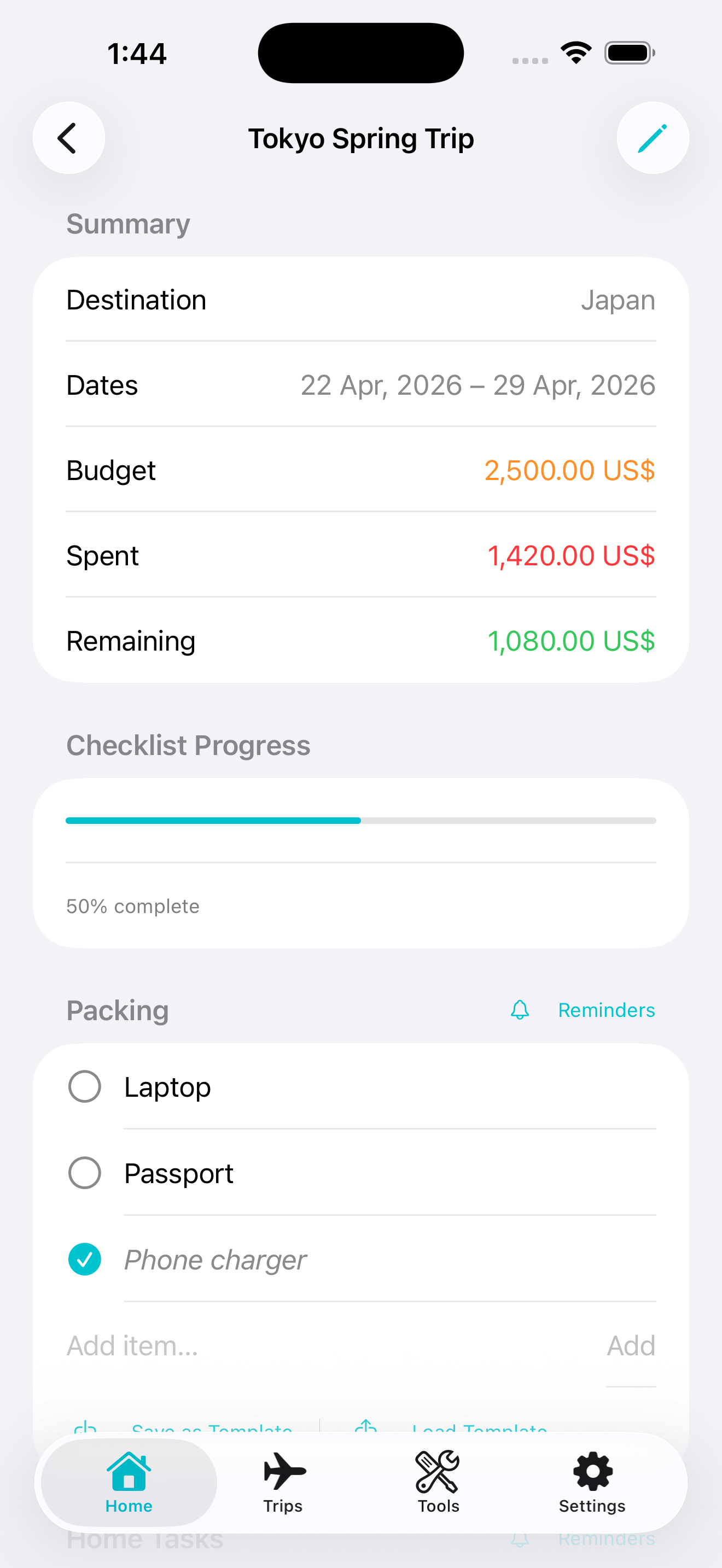
The main trip screen shows destination, travel dates, total budget, amount spent, and remaining balance in a clean summary card. That is a strong layout for travelers who want to keep the financial side of a trip visible without opening a separate budgeting app.
2. Packing List and Home Tasks
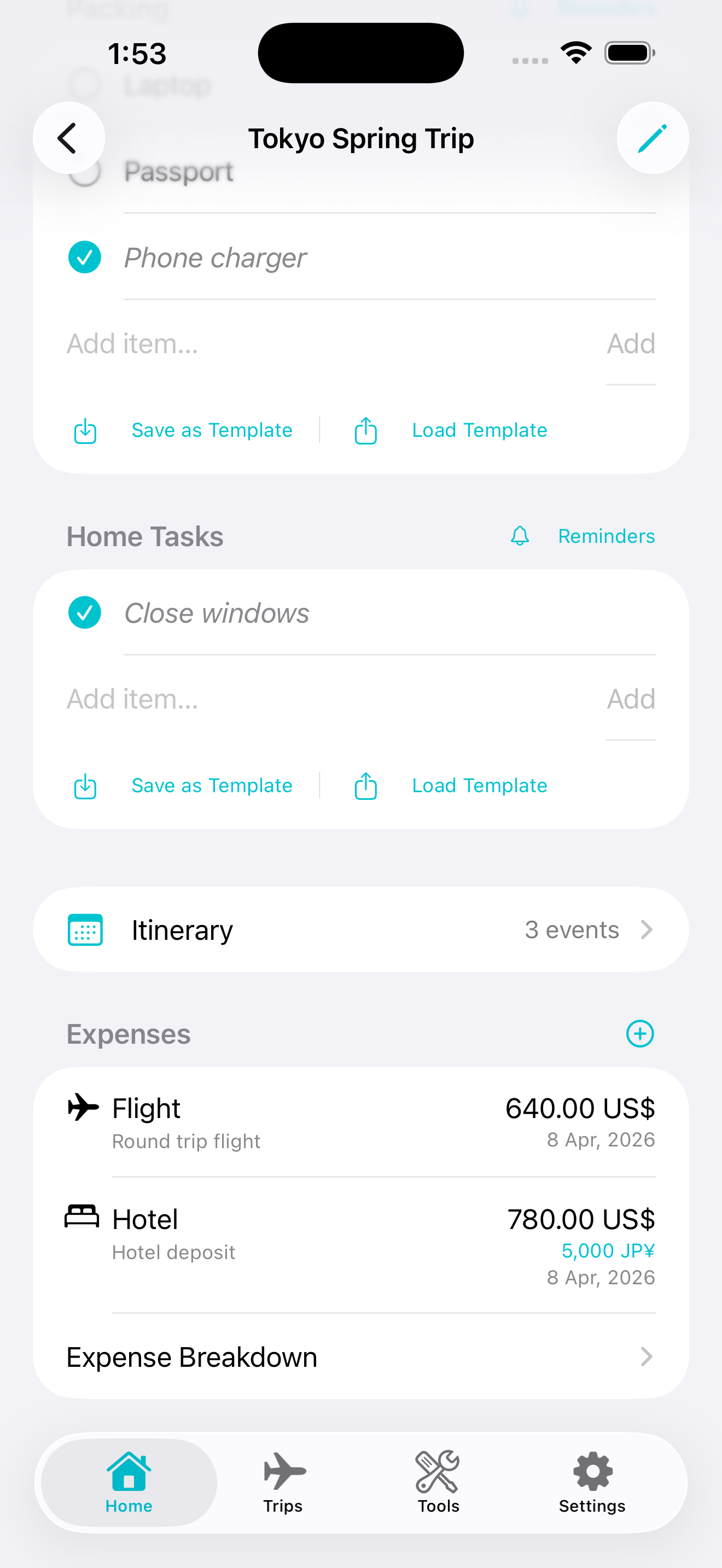
One of the most useful details in the screenshots is the split between Packing and Home Tasks. That means you can track what goes into your bag and also remember the things you need to do before leaving, like closing windows or handling last-minute chores.
The app also includes save and load template controls, which should make repeat trips easier to prepare for.
3. Built-In Itinerary Planner
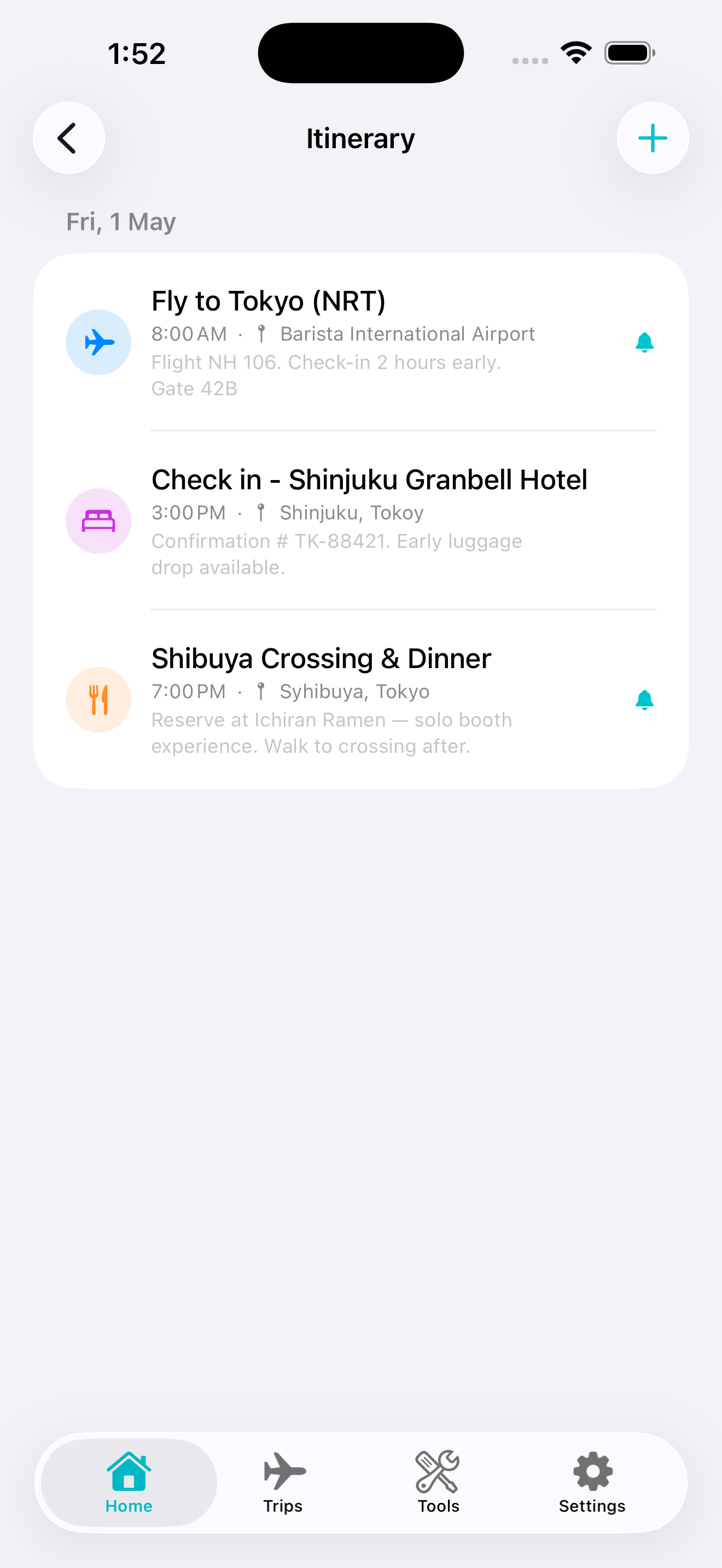
The itinerary screen shows travel, hotel, and food events arranged by time, which suggests the app can hold the core schedule for a trip in one place. Flights, hotel check-in details, and restaurant plans are easier to follow when they are grouped by day instead of spread across messages and notes.
4. Expense Tracking During the Trip
The trip dashboard includes an expense section with line items like flights and hotels, plus a clear total and breakdown area. That makes the app practical not just for planning, but also for monitoring costs once the trip is already underway.
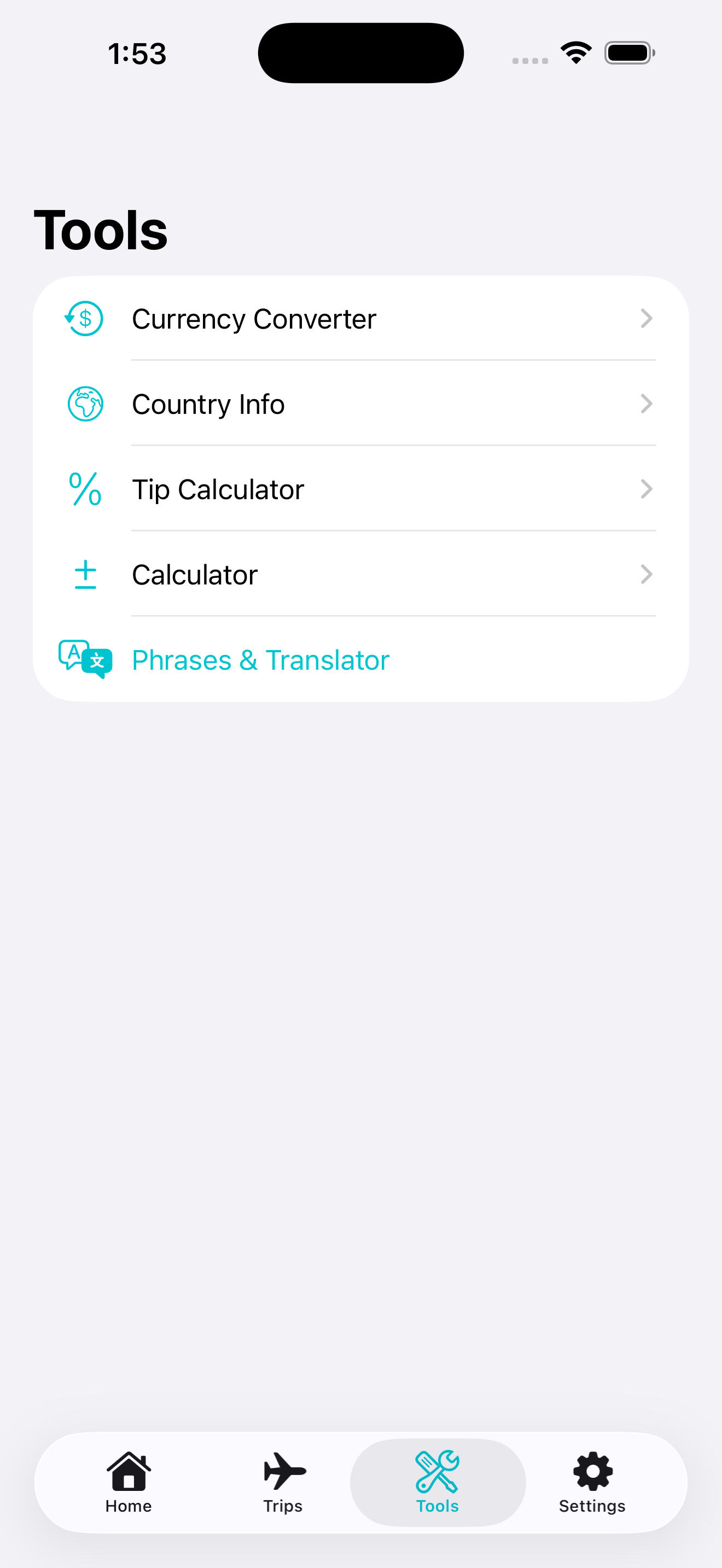
5. Currency Converter and Handy Travel Tools
The tools area shown in the screenshots includes:
- Currency Converter
- Country Info
- Tip Calculator
- Calculator
- Phrases & Translator
That combination covers many of the quick tasks travelers run into when they are abroad and do not want to switch between several different apps.
6. Offline-Friendly Exchange Rate Display
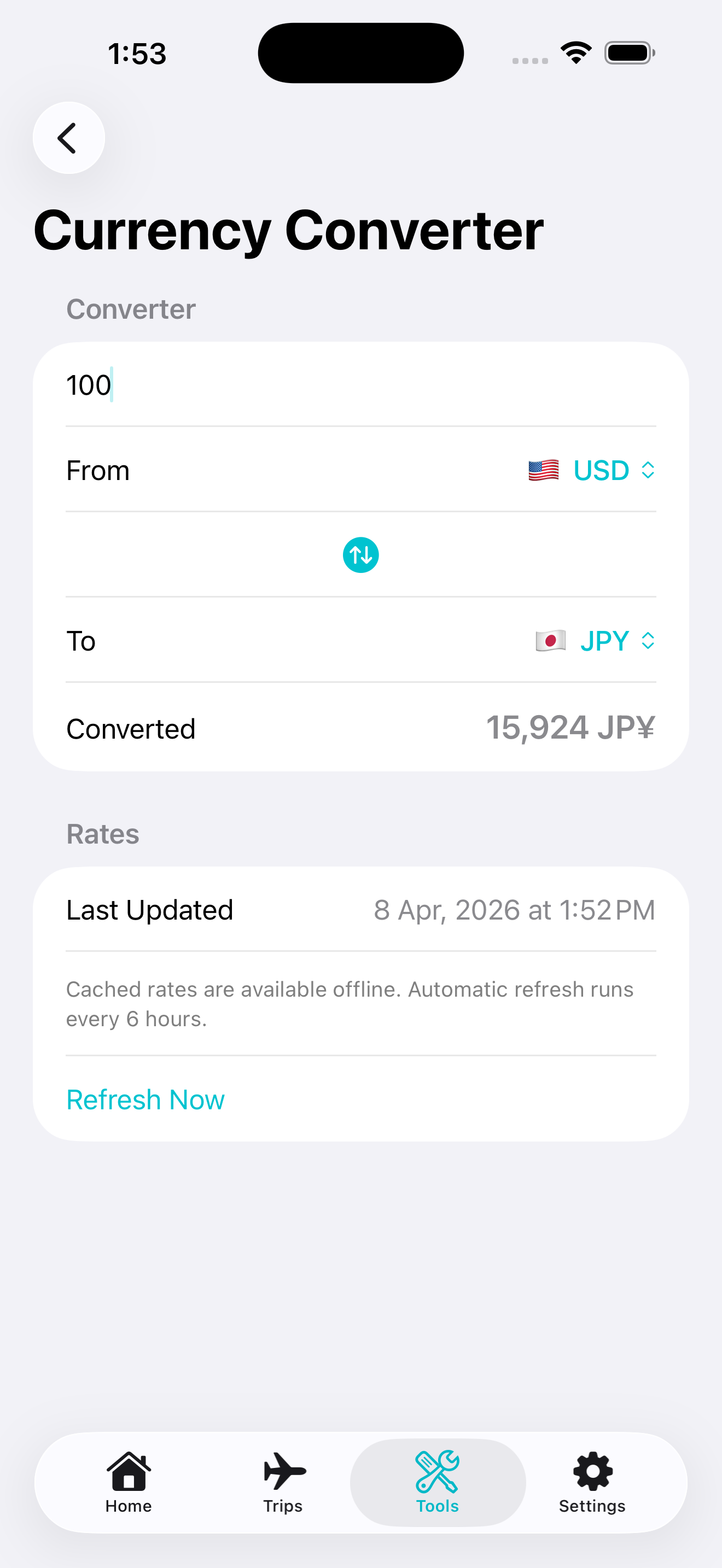
The currency converter screen notes that cached rates are available offline and refresh automatically at intervals. That is a practical detail for travel, especially in airports, trains, or areas with unreliable data coverage.
Why Travel Utility Pro Stands Out
Many travel apps do one job well, but leave the rest to other services. Travel Utility Pro appears to take a more complete utility approach. It combines planning, organization, and on-trip calculations into one interface, which reduces friction and keeps trip information easier to manage.
It looks especially useful for:
- travelers planning international trips
- users who want one app for packing, itinerary, and spending
- people who prefer structured travel checklists
- anyone who often needs currency and tip calculations on the go
Download Travel Utility Pro
If you want a more organized way to manage trip details on iPhone or iPad, Travel Utility Pro looks like a practical all-in-one choice.
iPhone & iPad
More Apps by iThinkdiff
← Back to Blog